
Introduction
Unwanted emails: understanding the risks, protecting yourself effectively and understanding what spam means.
In the world of digital marketing and email communication, the inbox is a strategic space. Unfortunately, it is also often invaded by unsolicited messagesThese unwanted messages are sent on a massive scale and without prior consent. These untimely mailings, known as "spam", disrupt users, hamper productivity and sometimes represent a real danger to IT security.
Let's look at this phenomenon in detail: the definition of spam, its impacts, and especially the solutions to limit or prevent it, for both individuals and businesses. Is spam dangerous?
What is an unsolicited SPAM message?
How to stop receiving spam? Unsolicited email (spam) is when a message is sent to a recipient without their explicit consent. These messages are usually promotional or commercial in nature, but some can have far more malicious intentions. This can include, for example:
-
- advertisements for products or services unrelated to the recipient's interests,
-
- d'fraudulent offers promising quick financial gains or fictitious gifts,
-
- chain letters, sensationalist messages and conspiracy theories,
-
- e-mails containing booby-trapped links or attachments (malware, ransomware, phishing attempts).
A safety hazard for users
The main problem with these messages is their potential nuisance, at several levels:
1. Lost time and lower productivity
Receiving dozens of irrelevant e-mails every day forces users to sort through them. This leads to a loss of concentration and a waste of time, especially in a professional context.
2. Increased safety risk
Some of these messages hide serious threats: links to infected sites, viruses, Trojan horses, or attempts at identity theft. By clicking by mistake, users can compromise their entire computer network, or have their personal data stolen.
3. Server saturation
Unsolicited bulk mail can overload mail infrastructures, slow down services or even generate unnecessary costs for companies that have to store or filter this traffic.
How do e-mail providers react to SPAM?
To protect users, the e-mail services implement automatic filters that analyze each incoming message. These systems use several criteria to identify unwanted messages:
-
- The presence of suspect keywords or overly commercial wording,
-
- Lack of personalization or clear purpose,
-
- The sender's IP address, if associated with abusive practices,
-
- The rate of complaints or reports received for similar messages.
These filters are constantly evolving, thanks to artificial intelligence algorithms and databases shared between suppliers. When a message is deemed suspicious, it is redirected to the "junk mail" folder or blocked before it even reaches the inbox.
We all ask ourselves the question: how to block spam?
What can users do to protect themselves from SPAM?
1. Using secondary addresses
When registering on lesser-known sites or entering contests, we recommend using a dedicated address. This avoids polluting your main mailbox.
2. Report abusive e-mails
Most email services (Gmail, Outlook, Yahoo…) allow you to report unwanted emails. Each report helps strengthen the filters for all users.
3. Avoid clicking on dubious links
A message that is too tempting, full of spelling mistakes or has no clear link to your interests should arouse your suspicion. Don't click on links or attachments if you have the slightest doubt.
4. Use advanced SPAM filtering solutions
In the corporate environment, it is advisable to install professional filtering tools, capable of analyzing messages before they are distributed to employees. These tools often offer a centralized dashboard and useful statistics.
And what about legitimate senders?
If you send newsletters or email marketing campaigns, it's essential to avoid being perceived as an abusive spam sender. Here are some best practices to follow and abide by the rules. of the CNIL :
-
- Get the explicit consent of your subscribers (opt-in).
-
- Personalize your emails and offer truly relevant content.
-
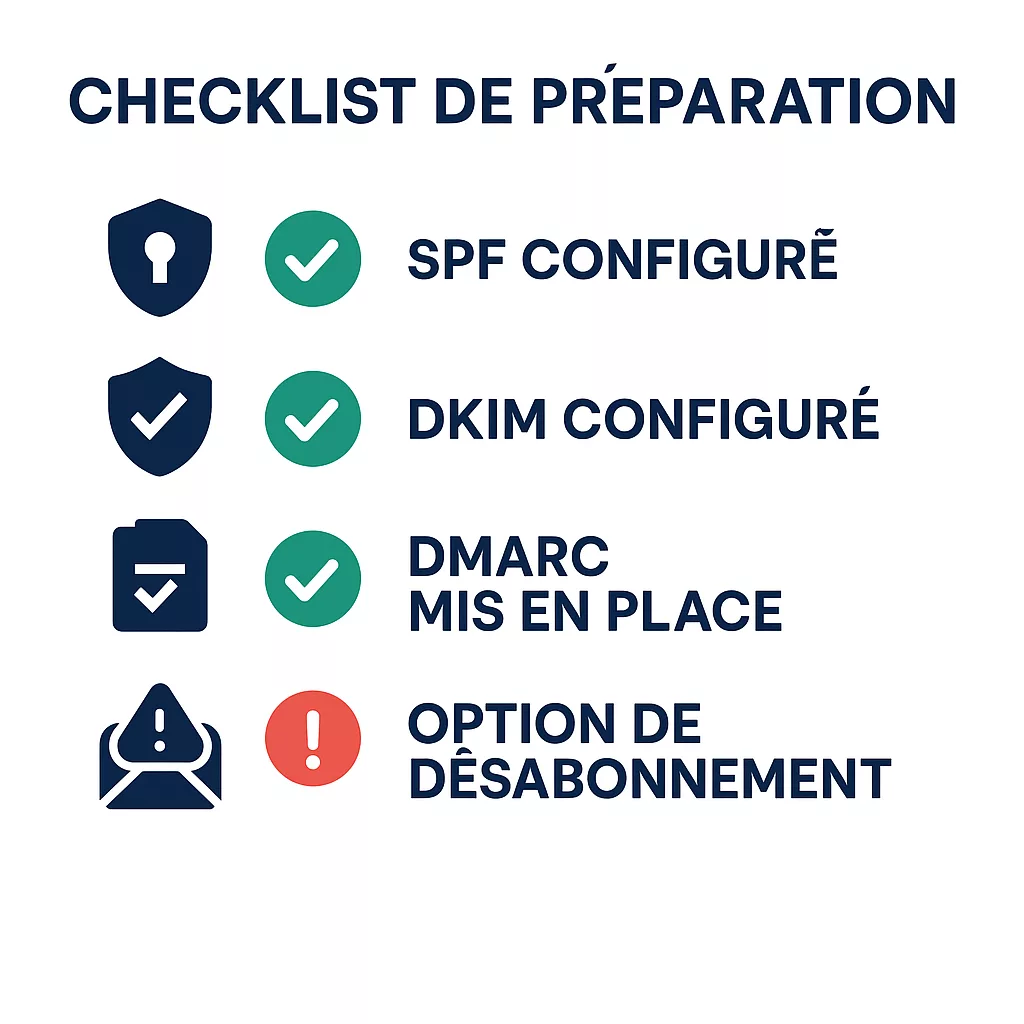
- Join a clear, functional unsubscribe link.
-
- Authenticate your domains (SPF, DKIM, DMARC) to inspire confidence in the receiving servers.
-
- Monitor your open and notification rates to adjust your mailings.
In conclusion
SPAM represents a real problem, both in terms of user comfort and cybersecurity. Whether you are a casual user or a marketing professional, it is crucial to understand the spam mechanisms at play to protect yourself effectively.
Efidem, expert in emailing, SMTP and SMS marketing, accompanies you in designing compliant, targeted campaigns that adhere to best practices on Snapshoot or by API. We you help to reach your recipients without risking rejection by automatic filters and being sent to spam. We have been working with ISPs for many years and are in contact with signal-spam.
Thanks for reading!