

How to set up email and/or SMS OTP
One-Time Password, or One-Time Password, is today one of the most used mechanisms to strengthen account security, validate a sensitive action, or confirm a user's identity. It's found everywhere: logging into a customer portal, validating a payment, resetting a password, creating an account, changing an email address, or even two-factor authentication.
Simple for the end-user to understand and relatively quick to install on the technical side, OTP via email or SMS remains a very effective solution when properly integrated. However, it's important to choose the right channel, apply the right security rules, and avoid certain common mistakes.
In this article, we will look at what an OTP is, in what cases it is relevant, why to choose email or SMS, and then how to simply configure an email OTP and an SMS OTP.
What is an OTP?
An OTP, for One-Time Password, is a one-time password. It is generally a short code, often composed of 4 to 8 digits, sent to a user to confirm an action or verify their identity.
Unlike a classic password, an OTP is not meant to be memorized. It is generated automatically, sent to the user, and then valid for a short period of time. Once used, or once the time limit expires, it can no longer be used.
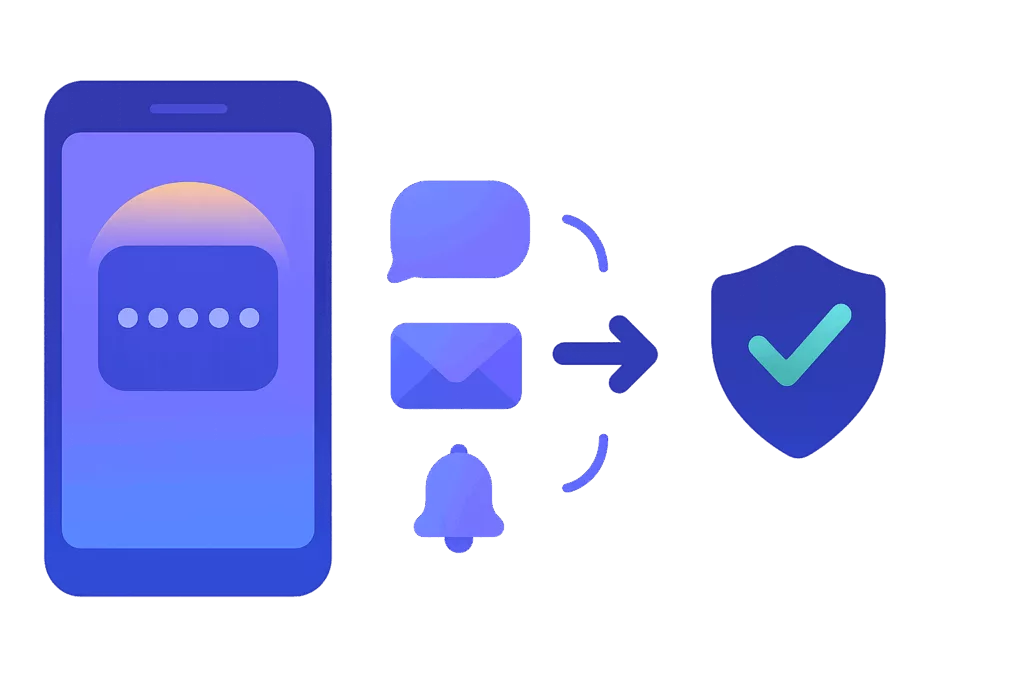
For example, when a user attempts to log in to their account, the system may ask for their usual password, then send them an OTP code via SMS or email. The user enters this code into the interface, and if it matches the code generated by the system, access is granted.
OTP can be used alone, but it is especially interesting in a logic of enhanced authentication. It allows for an additional verification step, particularly when the action presents a risk: logging in from a new device, an unusual attempt, access to sensitive data, or validation of an important operation.
There are several types of OTPs. Some are generated by an authentication app, while others are sent via email, SMS, or a notification. For web services, email OTPs and SMS OTPs are particularly common as they don't necessarily require the installation of a dedicated app.
Is OTP really effective?
Yes, OTP is effective, provided it is used correctly.
Its main benefit is to reduce the risks associated with using a single password. A password can be guessed, reused on multiple sites, compromised in a data breach, or recovered via a phishing attempt. By adding an OTP, the user is asked to prove they also have access to a verified contact channel, such as their email address or mobile phone.
This doesn't make the system invulnerable, but it significantly increases the security level. An attacker who only has the password will not necessarily be able to complete the connection or the sensitive action without the temporary code.
The OTP is also very useful for securing critical flows without excessively complicating the user experience. It can be triggered only when necessary: first login, password change, adding a payment method, login from an unusual country, or transaction validation.
However, the effectiveness of OTP depends greatly on its implementation. A code that is valid for too long, an unlimited number of attempts, a poorly worded message, or a lack of logging can reduce its usefulness. Likewise, OTP should not be considered a magic bullet. It must be integrated into an overall security strategy: strong passwords, attempt limitations, monitoring of suspicious behavior, traceability, and protection of administrator accounts.
A good OTP must therefore be temporary, unique, difficult to guess, limited in attempts, and associated with a specific action. It must also be sent quickly, as the user experience depends heavily on the reception time.
Why choose OTP via email?
The simplest channel is often to implement an email OTP. In the majority of online services, the user's email address is already known, verified, or used as a login identifier. This makes it a natural channel for sending a confirmation code.
Email presents several advantages. It is non-intrusive, universal, compatible with all devices, and generally less expensive than SMS at scale. It is particularly well-suited for web usage, account verifications, password resets, or actions that do not require immediate validation within seconds.
OTP emails can also be easier to customize. The code can be integrated into a clear message, the relevant action can be reminded, the code's validity period can be indicated, and security instructions can be added. For example: “If you did not initiate this request, please ignore this email or contact our support.”
This channel is particularly relevant when the user is already in a web environment or when they regularly check their email. It is also very well suited for B2B applications, extranets, SaaS platforms, or client areas where email is already the primary communication channel.
On the other hand, email also has its limitations. The message can end up in spam, be delayed by certain filters, or depend on the quality of the sending configuration. For a reliable email OTP, it is essential to use a sending domain correctly authenticated with SPF, DKIM, and DMARC. Sending reputation, content quality, and deliverability play an important role.
It is also important to keep in mind that a compromised email account can weaken the entire process. This is why OTP email is very practical, but must be used with discernment depending on the risk level of the action to be protected.
Why choose SMS OTP?
SMS OTP is probably the most well-known format to the general public. The user receives a code directly on their mobile phone, then enters it into the application or website.
Its main advantage is its immediacy. SMS is short, direct, and highly visible. It doesn't require an internet connection to an email inbox or a specific app, and it works on almost all mobile phones. For quick processes like logging in, payment validation, or phone number confirmation, SMS remains very effective.
OTP SMS is also interesting when the mobile phone is an important element of user identity. In some sectors, the mobile number is more reliable or more regularly updated than the email address. This is particularly the case for consumer services, quick verification flows, or transactional notifications.
Another advantage: SMS is often perceived as more urgent than email. The user tends to check it quickly, which improves the conversion rate for sensitive customer journeys.
However, SMS also has its constraints. It incurs a cost per message, depends on network coverage, the mobile operator, the destination country, and sometimes local regulations. Some messages may be delayed, blocked, or filtered if the content, sender, or sending context does not comply with applicable rules.
You also need to consider the risks specific to the mobile channel, such as phone loss, number changes, or certain targeted attacks. For highly sensitive uses, SMS OTP can be supplemented by other stronger authentication methods.
In practice, SMS remains an excellent choice when looking for a fast, simple, and universal channel, especially for confirming an action in real time.
Email or text message: how to choose?
The choice between OTP email and OTP SMS primarily depends on the context of use.
OTP email is often suitable when the email address is already central to the user journey, when costs need to be controlled, or when the action does not require instant validation. It is ideal for confirming a registration, securing a password reset, validating an email address change, or protecting access to a customer account.
SMS OTP is more suitable when speed is a priority, when the mobile phone is already verified, or when you want to maximize code visibility. It is well-suited for sensitive connections, transactional validations, mobile journeys, or actions requiring an immediate response.
In some cases, the best approach is to offer both channels. The user can then choose between receiving their code by email or SMS. This improves the experience and reduces friction: if the user doesn't have access to their email, they can use their phone; if they can't get mobile reception, they can use email.
For critical services, it is also possible to adapt the channel according to the level of risk. For example, an email OTP may be sufficient for a standard action, while an SMS OTP may be required for a more sensitive action.
How to set up an email OTP?
The implementation of an email OTP relies on simple operation.
When a user triggers an action requiring verification, your application generates a unique code. This code is associated with the user, the requested action, and a limited validity period. It is then sent via email using a reliable sending solution.
The message must be clear and to the point. It must contain the code, explain why the user is receiving it, and specify its validity period. For example: “Your verification code is 482913. It is valid for 10 minutes.”
From a technical standpoint, several best practices are important.
The code must be generated randomly and should never be predictable. It must automatically expire after a few minutes. A duration between 5 and 10 minutes is often sufficient for a typical flow. The code must also be invalidated after use to prevent reuse.
It is also essential to limit the number of attempts. For example, after 3 to 5 incorrect codes, the action can be temporarily blocked or a new code can be requested. This helps prevent brute-force attacks.
Deliverability is a key point. For the OTP For emails to arrive correctly, the sending domain must be authenticated with SPF, DKIM, and DMARC. The content should remain simple, without suspicious elements, unnecessary attachments, and with an explicit subject line. It is also recommended to use an identifiable sender so that the user immediately recognizes the origin of the message.
Finally, each transmission and validation must be tracked. It is useful to keep the request timestamp, transmission status, number of attempts, and validation result. These elements are valuable for support, security, and incident analysis.
How to set up an SMS OTP?
Setting up an SMS OTP follows a similar logic, but with a few specifics related to the mobile channel.
When a user requests verification, your application generates a temporary code and sends it to the phone number associated with the account. The message must be short, readable, and unambiguous.
An effective OTP SMS might look like this: “Your verification code is 482913. It expires in 5 minutes. Do not share it with anyone.”
As with email, the code must be unique, temporary, and invalidated after use. It is also necessary to limit entry attempts and avoid allowing endless code requests. Abuse protection is essential, as each SMS has a cost and can be exploited in fraud or spam scenarios.
The number format is also important. It is recommended to use the international format, for example +336XXXXXXXX for a French number. This reduces routing errors, especially if your service sends SMS to multiple countries.
The choice of SMS sender must also be considered. Depending on the country, the use of a personalized sender name may be subject to specific rules. Some markets require prior registration of a Sender ID or apply strict filters to transactional messages.
Supervision is another essential point. For an SMS OTP, it's important to track sending statuses: accepted, transmitted to the operator, delivered, expired, rejected, or canceled. This traceability allows for a quick understanding of whether a problem originates from the application, the operator, the destination number, or the user's terminal.
Finally, backup scenarios must be planned for. A user may have changed their number, not have network reception, or be abroad. Depending on the criticality of the service, it may be relevant to offer an alternative channel, such as email, or a controlled recovery procedure.
Best practices to follow
Whether the OTP is sent by email or SMS, at efidem, we follow certain essential rules.
The code should have a short lifespan. It should be usable only once. It should not be stored in plain text unless necessary. It should be associated with a specific user and action. It should be invalidated after validation, expiration, or a new request.
It is also important to limit attempts, block suspicious behavior, and log events. A succession of code requests, repeated failures, or validations from unusual areas can be signals to monitor.
The message content should be simple and reassuring. Avoid vague wording. The user should immediately understand why they are receiving the code. It is also recommended to add a precautionary statement: “Never share this code with a third party.”
Finally, the user experience must remain fluid. An OTP that takes too long to receive, a code that expires too quickly, a poorly identified message, or a lack of alternative solutions can lead to frustration and abandonment.
Conclusion
Implementing an OTP via email or SMS is an excellent way to strengthen the security of an online service without unnecessarily complicating the user journey.
Email is simple, cost-effective, and particularly suited for web and B2B environments. SMS is fast, visible, and very effective for immediate validations. In many cases, offering both channels allows for the best balance between security, deliverability, and user convenience.
However, the success of an OTP system relies on a few fundamentals: a unique code, a limited validity period, a controlled number of attempts, good deliverability, complete traceability, and a clear user experience.
Well integrated, OTP becomes a simple and powerful lever to protect accounts, secure sensitive actions, and strengthen user trust. Contact us at Switzerland or France to talk about it.